
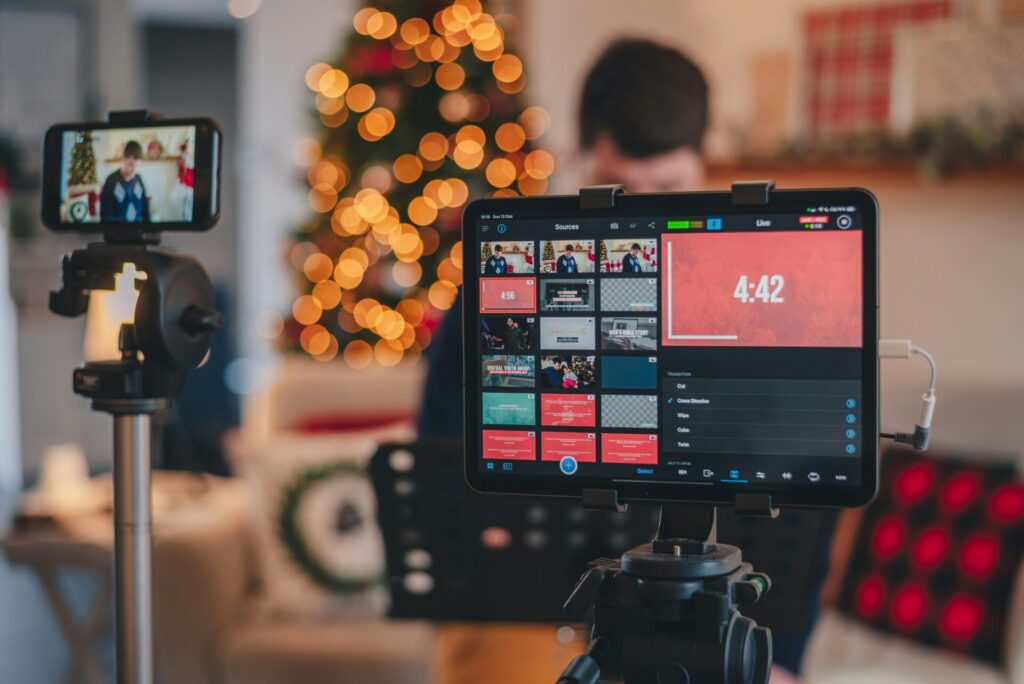
A live stream lets a traveller see your place as it is right now, ask a question and get an answer on the spot.
Live streaming lets guests feel a place before they book it, and it costs less than most people think. A phone, a tripod and a solid connection are enough to start.
The beach this morning, the light over the vines, the view from the deck at sunset: live video answers the questions a brochure never will.
tldr; everything you need to know
For a tourism brand, one stream does three jobs. It reaches people who have not found you yet, gives your regulars a reason to come back, and answers the questions that sit between a maybe and a booking.
You do not need to stream every day. You need a reason to go live, a plan for the hour and a way to turn the people watching into people booking.
Here are a few of the benefits of live streaming:
- It’s relatively affordable
- It’s easier than you may think
- It increases your online presence and visibility
- It shows your place as it really is, right now
- Live streaming offers a real-time experience like nothing else online
- It’s excellent for interaction, engagement, and answering questions
- You can do it from almost anywhere
Think of it as try before you buy: the traveller sees the real thing, in real time, before they spend a cent.
1. Use live streaming to promote travelling locally
Your easiest audience is often the closest one. People a few hours’ drive away can book this weekend, and a live stream from your place puts you in front of them while they decide.
Show them what a weekend with you looks like: the drive in, the first coffee, the view from the room.
Plenty of people look overseas for the big holiday and miss what is a few hours up the road. Show them what they are missing.
Live streaming is a cheap, direct way to put a local escape in front of people already planning one.
2. Share a travel and tourism experience
The trap is selling too hard. A live stream is a chance to show the experience, not pitch it. In tourism, the experience is the product.
Show the place and let it sell itself. Save the booking link for the end.
3. Be prepared before you go live
We’ve already spoken about a live stream’s immediacy, one of the medium’s biggest drawcards. However, just because a live stream has an immediacy to it, this doesn’t mean it’s completely spontaneous.
Before you go live, you need to be prepared. Let’s break this down into three steps:
- Plan the run of show: how you open, three moments worth seeing, a pause for questions and how you close.
- Pick one focus: a room reveal, a tasting, a sunrise, a Q&A with your guide.
- Choose the platform your guests already use, then tell them when you are going live.
Preparation shows. It looks professional, and it stops a live stream wandering off course.
4. What about screen sharing?
You have almost certainly shared a screen on a Zoom call.
But what about screen sharing while live streaming? Well, it works much in the same way. In tourism and hospitality it earns its keep: share the walk trail map, the long lunch menu or the booking page while you talk, and viewers see exactly what you mean.
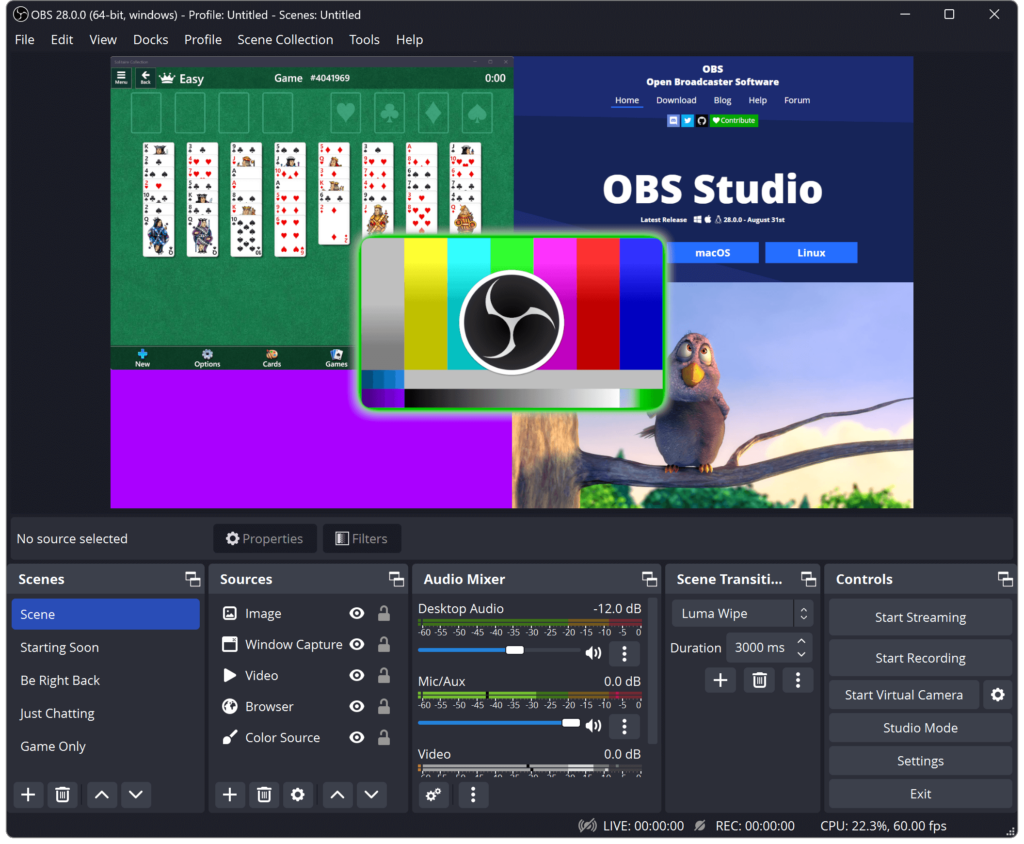
OBS Studio is a free and open-source software for video recording and live streaming, and it’s compatible with macOS, Windows, and Linux. It’s easy to install, has many excellent features, and works well with Facebook and YouTube.
Bonus: best live streaming platforms
Before you can start live streaming, you must know which platforms are available and what’s the best choice for you. While many popular live-streaming platforms are available today, it’s best for tourism brands to go with a live-streaming service already tied to a social media platform.
Furthermore, the platform you choose will impact the feel of your stream. Some streaming services are more formal, while others are more laid-back and fun.
Here is the short version for tourism brands. For the wider 2026 picture, including LinkedIn Live, read live streaming in 2026: what experience brands need to know.
Facebook Live
Start here. You almost certainly have a Facebook page already.
It saves you building a new audience from scratch, and it comes with plenty of features:
- Viewers can react and comment on your stream in real-time
- You can moderate comments
- Facebook Live is available from your phone or computer
- Eligible pages can earn money from their streams
- You can invite guests to your stream
- Live streams can be scheduled in advance
- You can download the stream or clip the best moments into reels, which matters because Facebook now removes live videos after 30 days
YouTube
When we think about videos on the internet, most immediately think of one platform: YouTube. It is just as strong for live: a finished stream stays on your channel as a video, so the festival set or the sunrise keeps working after you switch off. You can go live from a computer once your channel is verified (allow up to 24 hours the first time), or from your phone once you have 50 subscribers.
Instagram Live
Instagram Live is great for visibility: when you go live, your stream shows up at the front of your followers’ Stories. Since August 2025, only public accounts with 1,000 or more followers can go live, so check yours qualifies. You can bring a guest into the stream, which suits a takeover with a local chef, guide or winemaker.
TikTok Live
Going live on TikTok is a fantastic tool if you’re trying to connect with a younger audience. TikTok sets age and follower requirements for LIVE and changes them from time to time, so check the LIVE option in your app before you plan a stream around it.